$ cd ./blog
A tour of the rack
The hardware behind the homelab, and why it looks the way it does. An EPYC flagship, a seven-year-old Threadripper that refuses to retire, three GPU generations, and a pile of storage that has caused me more grief than everything else combined.
There is a full spec sheet on the Labs page if you just want the tables. This is the other version, the one where I explain why any of it looks the way it does. Homelab hardware is rarely a clean design. It is a fossil record of whatever was good, cheap, or already sitting on a shelf when a problem needed solving.
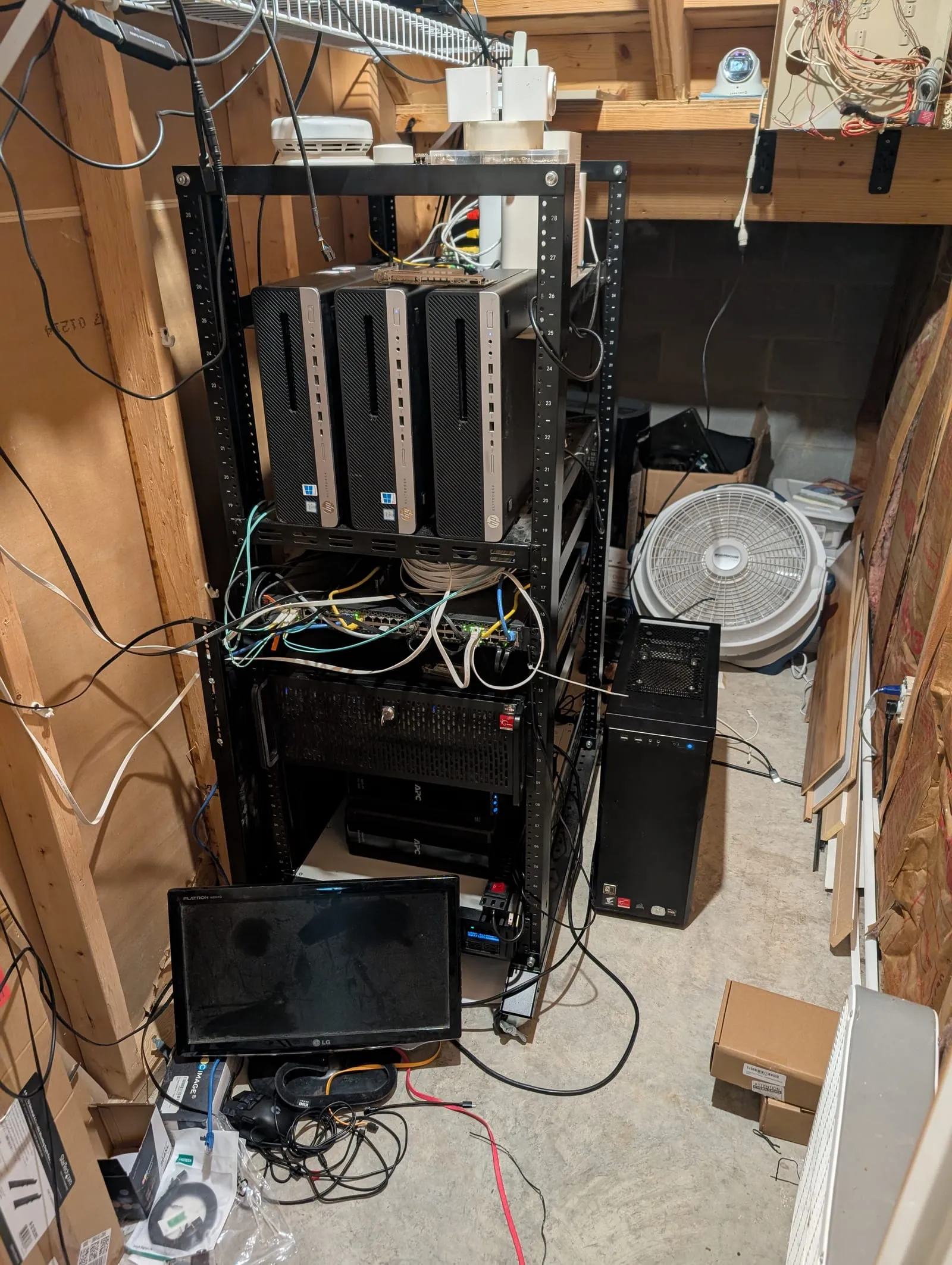
The whole cluster, in one corner of a basement. The 4U EPYC node sits under the switch, the three HP minis are stacked above, and pve-01 is the tower on the floor. It is probably fine.
Two tiers, on purpose
The cluster is five Proxmox nodes, and they are not equals.
Two of them do the heavy lifting. pve-00 is an EPYC 7282 with 256 GB of ECC memory in a 4U hot-swap chassis, and it is the closest thing the lab has to a real server. pve-01 is a Threadripper, which I will come back to because it has earned its own paragraph. Both run ECC and both have discrete GPUs passed through to Kubernetes.
The other three are HP EliteDesk small-form-factor boxes with consumer i7s and no ECC. On paper they are unremarkable. In practice they are perfect for what I ask of them: Ceph quorum, OSD hosting, and soaking up the workloads that do not care what they run on. Not every node in a cluster needs to be expensive. It needs to be present and predictable, and three cheap office PCs clear that bar for a fraction of the cost and power of another real server.
That split is the single most useful decision in the whole build. It keeps the money on the nodes that need it and treats the rest as the commodity capacity they are.
The machine that will not retire
pve-01 is an ASRock Fatal1ty X399 board I bought in 2019 for a Threadripper workstation. Seven years later it is still running, now as a cluster node. The CPU went from a 1900X to a 2920X, the memory grew to 128 GB, and it picked up enterprise network cards along the way, but it is the same board sitting on the same silicon platform I started with. The GTX 1080 Ti I gamed on is still installed, except now it is passed through to a Kubernetes worker doing transcode and inference instead of running games.
I keep it partly out of stubbornness and partly because it genuinely still pulls its weight. There is something satisfying about a piece of hardware that has quietly survived every architectural fad I have chased. It was a gaming rig, then a workstation, then a hypervisor, and it never once needed replacing to make the jump.
It has outlived its own chassis, though. The X399 started in the 4U rackmount unit that now holds pve-00. When I needed ECC RDIMM memory and more PCIe lanes, the new EPYC parts took over the 4U and the Threadripper moved into the tower case from my old gaming PC, which is the one now standing on the basement floor.
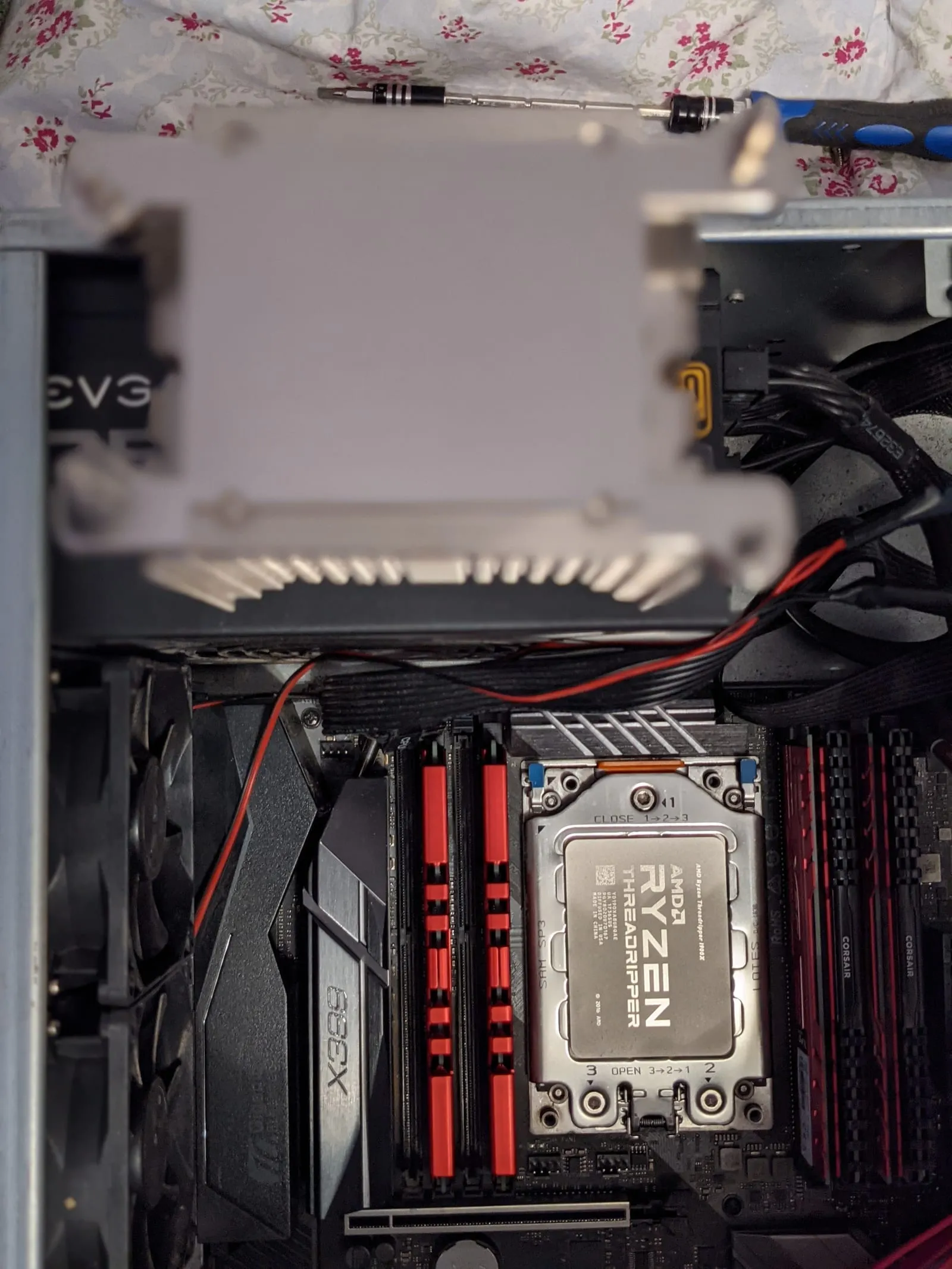
The Threadripper that is now pve-01. Same socket, same board, several lifetimes of workloads.
Three GPU generations
The lab has three NVIDIA cards spanning three architectures: an Ada-generation 4070 Ti, a Turing 1660, and the Pascal 1080 Ti. All three are passed straight through to Talos Kubernetes workers.
Running three generations at once is not a flex, it is just what accumulates when you buy GPUs over the better part of a decade and refuse to throw working hardware away. It does make scheduling interesting. All three get time-sliced so several workloads can share a single GPU. Between them they handle media transcode, local model inference, and whatever experiment I am currently pretending is production.
Storage, or: how I learned to fear distributed filesystems
Everything lives on Ceph now, on the order of 230 TiB raw spread across every node. Spinning disks make up the bulk pool, NVMe backs the fast pool and local VM storage, and a couple of Intel Optane drives handle metadata duty. The high NVMe counts hang off ASUS Hyper M.2 carrier cards, four drives per card, using PCIe bifurcation to fan a single slot into four.
I arrived at Ceph the hard way. Before it I ran ZFS on each node with GlusterFS as the shared layer, and Gluster and I did not part on good terms. Split-brains. Shards that would corrupt and need tracking down by hand. Repairs that ran on their own schedule while I sat there refreshing status output at 3am. The migration onto Ceph was its own multi-week project, usually kicked off by a Proxmox upgrade deciding to be interesting at the worst possible time.
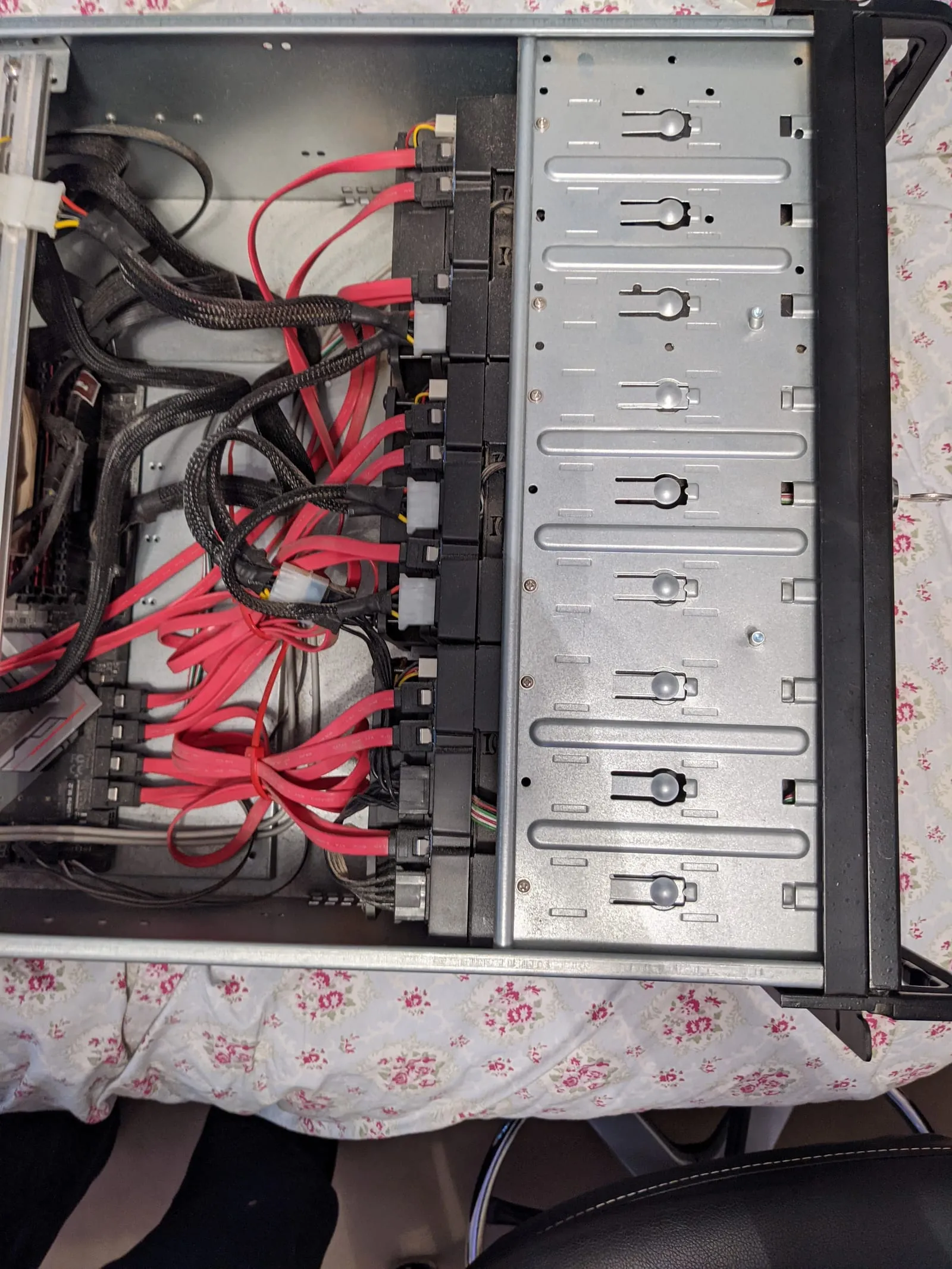
The original X399 server’s drive cages. All that red is SATA, and tracing it was exactly as fun as it looks.
The lesson that stuck hardest is the boring one. Backups are not optional, and having backups is not the same as having tested restores. Everything important now backs up to a dedicated Proxmox Backup Server, and I actually restore from it on purpose sometimes, which is the only way to know it works.
The fabric is a museum
The network is where the fossil record shows most clearly.
A Brocade ICX6610 sits at the core with 10GbE SFP+ uplinks to every node and jumbo frames end to end. Each node runs two 10GbE links in a two-bridge layout: one trunk for tenant and VM traffic, a second that isolates storage and cluster replication on its own physical port. That separation is what lets a firewall VM live-migrate from one node to another without dropping a connection, which still feels a little like magic every time I watch it happen. Routing between segments is handled by a high-availability OPNsense pair with CARP failover, the modern descendant of that original $75 firewall.
The 10GbE cards themselves are a grab bag: Intel X550 in one node, Mellanox ConnectX-3 Pro in another, Chelsio T320 in two more. They came from different eras and different deals, and they all do the same job well enough that standardizing on one would be spending money to fix a problem I do not have. Edge switching and wireless are UniFi.
Power and heat
The bottom of the rack is a rackmount PSU feeding the major players, and above it sits a dual-battery UPS that keeps the Raspberry Pis and the HP minis running through a blip. The important machines shut down cleanly when the power stays out.
Cooling is where the enterprise pretense falls away completely. A box fan pushes the rack’s exhaust up into the foot-high gap between the ground-floor ceiling and the main floor of the split-level house, and some of it bleeds into the garage through an insulated wall on the other side. It is not a CRAC unit. It is a box fan and a cavity, and the practical upshot is that you can feel the rack in the stairs and the floor above it. Homemade heated floors, sort of, if you do not think about it too hard.
The Pis do the quiet jobs
Off to the side of the cluster is a small fleet of Raspberry Pis, and they run the things that should never share a failure domain with the cluster itself. Mainly home automation and out-of-band tooling. If I take the whole cluster down for maintenance, the lights and locks should still work, and the Pis are how that stays true.
They are named after Culture ships, which is the kind of joke you make when you spend enough time alone with your infrastructure. Two Pi 5s do the real work, one on 16 GB with a 2 TB NVMe drive on a PCIe hat, and they share a small bag of USB radios that move between them as needed: a Z-Wave controller, a Zigbee and Thread stick, and a Coral TPU for edge ML.
Why like this
None of this was designed top-down. It grew, one problem at a time, and the hardware reflects that. The expensive parts are where the workloads actually demand them. The cheap parts are doing real work anyway. The old parts are still here because they still function, and replacing working hardware to make a diagram cleaner is a bad trade.
If there is a philosophy, it is that. Spend where it matters, reuse everything else, and let the rack tell the story of how it got here.
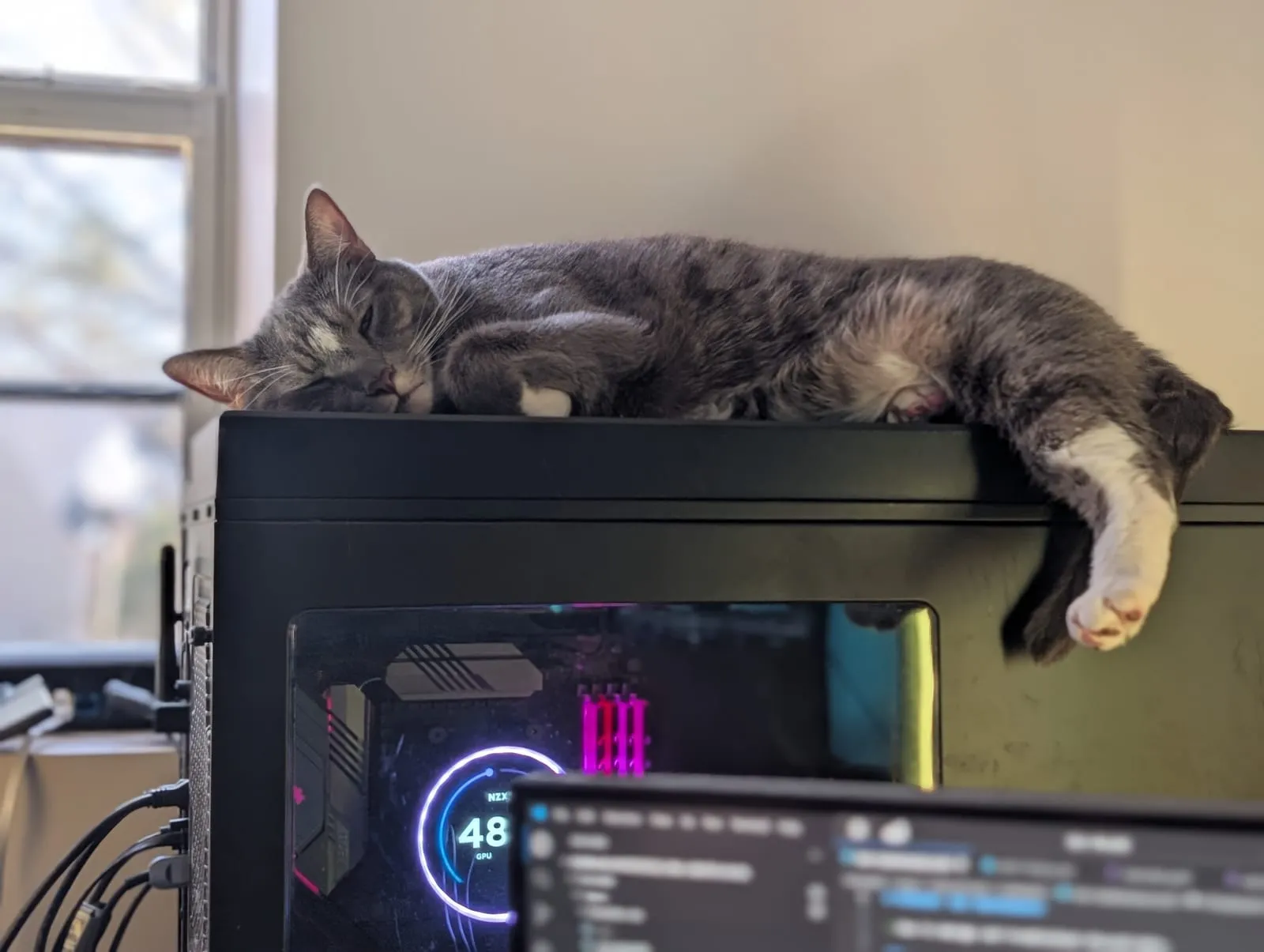
Roland Schitt, current cluster manager, signing off on the thermals.
It’s probably fine.
Related: the Kubernetes homelab case study on how the whole thing runs.
How this one was made. The rack is mine and the specs came off the machines. The draft was written to a hardware inventory and a set of photos, which is where it went wrong, because a model can’t look at a picture of my basement and know what it’s looking at.
So most of the editing here was correction, not voice. The 2017 photo was captioned as the lab’s first whitebox and is actually my personal PC with a box fan pointed at an overheating GPU. The drive cages belong to the Threadripper server, not the machine the draft attached them to. The rack caption had the machines in the wrong places until I put them back. The case-swap story ran backwards: the Threadripper started in the 4U chassis and moved into the old gaming tower when the EPYC took the rack space, and the draft had it the other way around.
And there aren’t any heated floors in this house. The rack exhausts into the gap under the main floor of a split-level, which you feel on the stairs. The heated floors were a joke I made, and the draft believed me.